Capture your trip
Import screenshots from Uber, Lyft, Uber Eats, DoorDash, Empower, Bolt and supported gig platforms.
Revealed+ turns Uber, Lyft and gig-app screenshots into clear earnings, hourly-rate, pay-per-mile and expense insights—so you can choose better trips and build a more profitable driving strategy.
3.9★ from 14 ratings · Free download · 5-day premium trial · iOS 17+
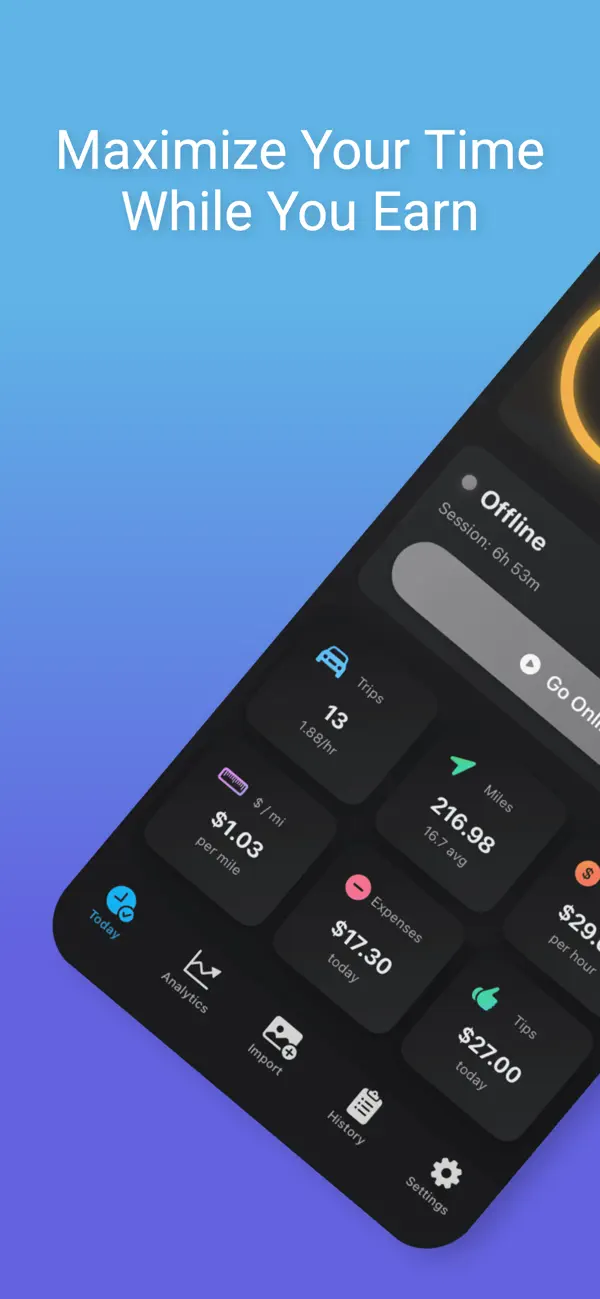

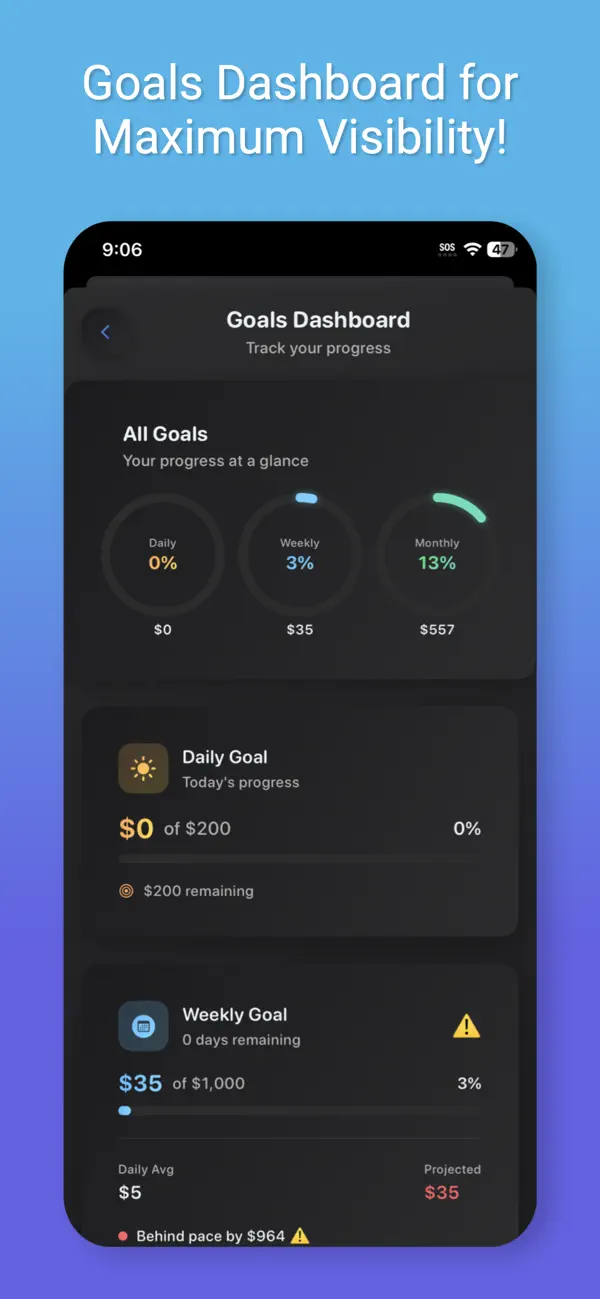
Track income, expenses, goals and true performance without manual spreadsheets.
Built around the workflow gig drivers already use. No Uber or Lyft API connection is required to turn incoming offers and completed trips into useful data.
Import screenshots from Uber, Lyft, Uber Eats, DoorDash, Empower, Bolt and supported gig platforms.
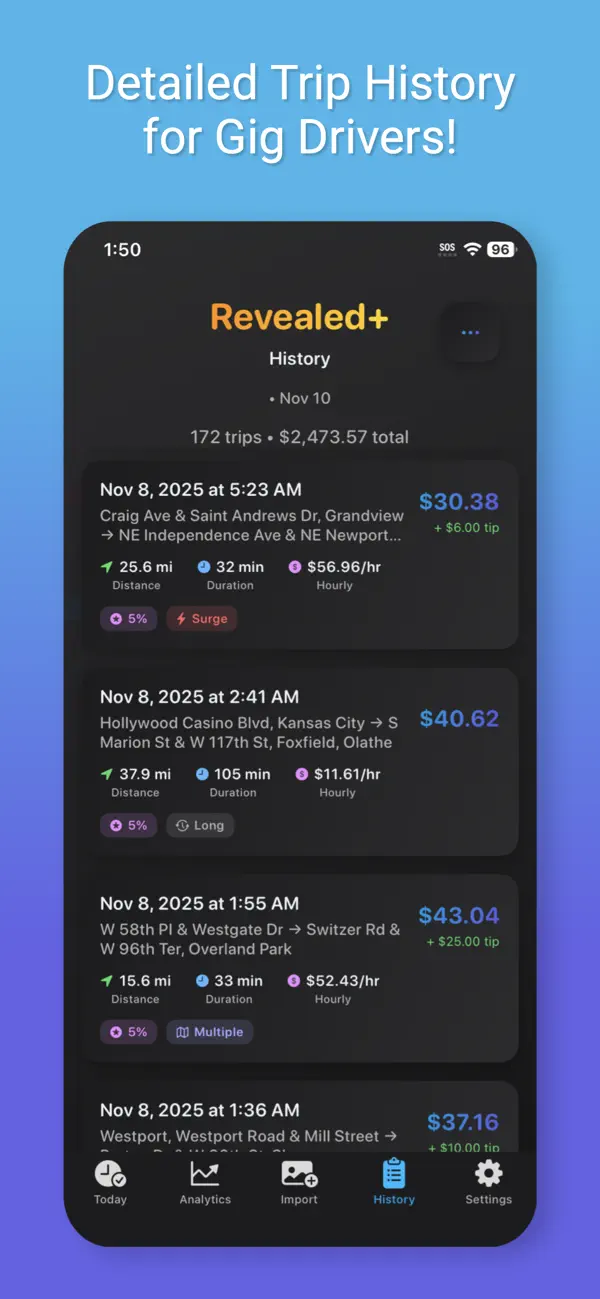
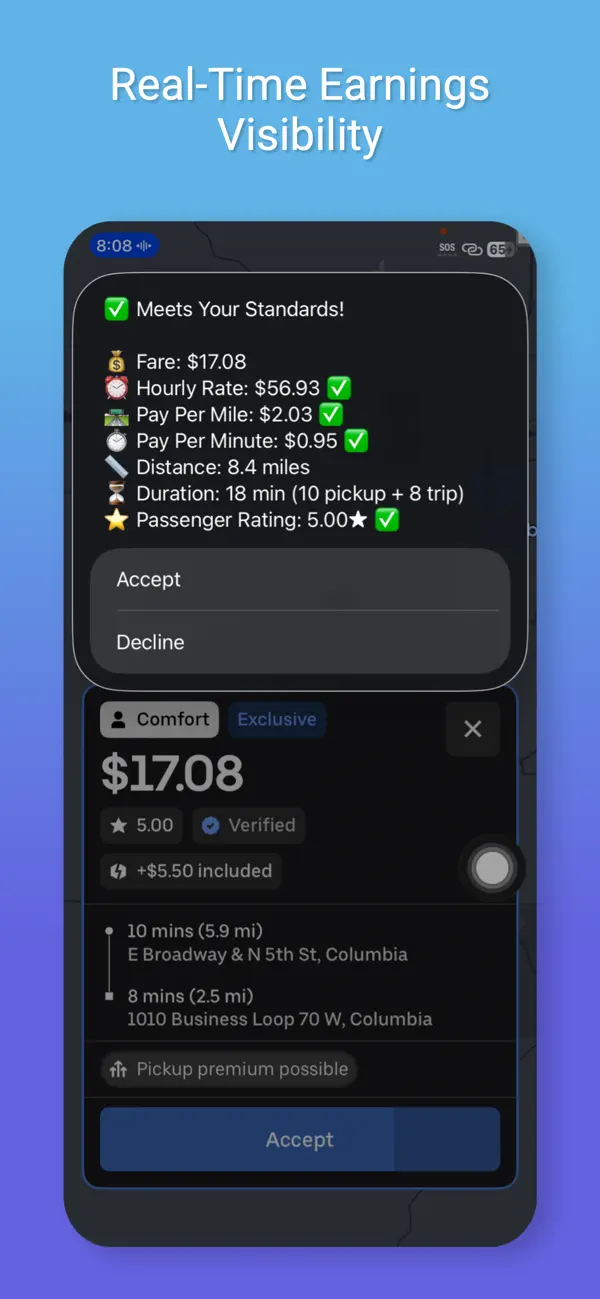
Revealed+ extracts fare, distance, time, tips, surge and trip details to reduce manual entry.
Compare hourly pay, dollars per mile, expenses, best hours and platform performance against your goals.
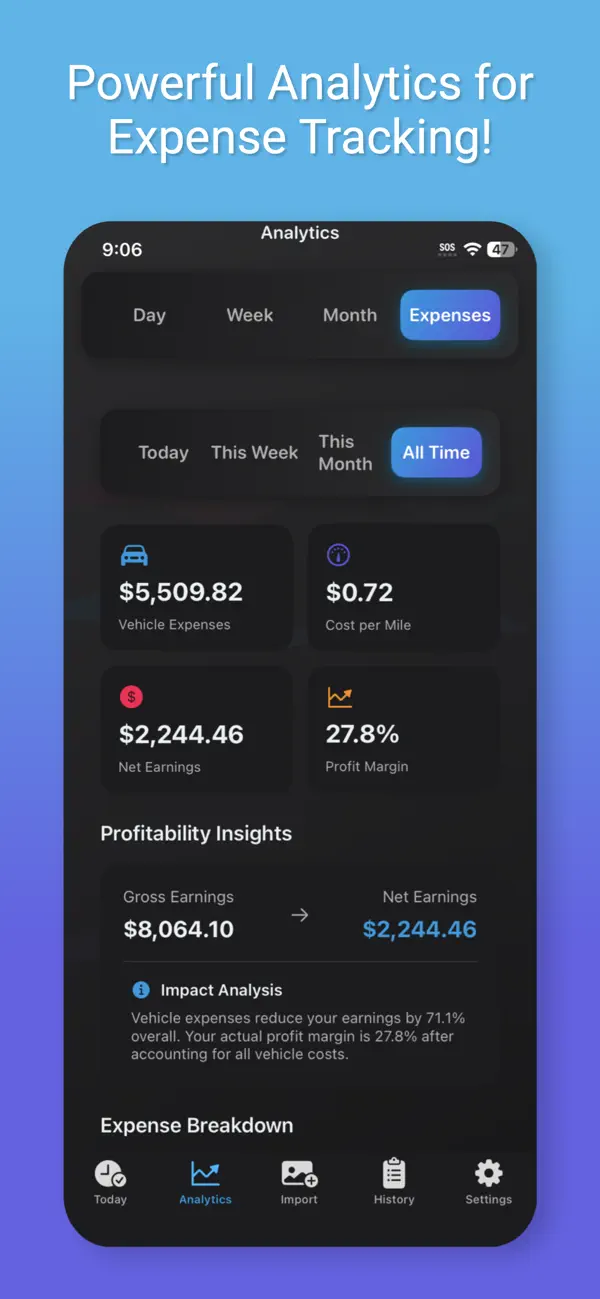
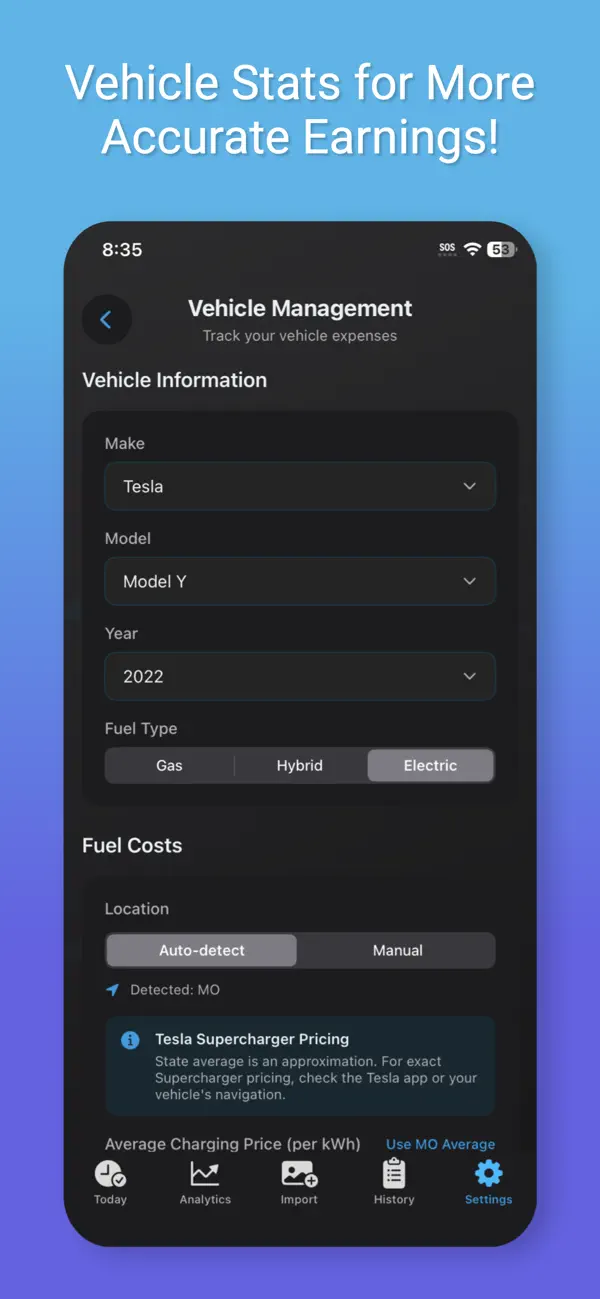
Practical guides built around the exact questions rideshare and delivery drivers ask when trying to improve net earnings.
Build a reliable record of trips, time, tips, bonuses and expenses without another spreadsheet.
Read the guide →Include pickup distance and vehicle costs so the number reflects the trip you actually drove.
Read the guide →Use your own hourly-rate history to identify when driving pays—and when it stops paying.
Read the guide →Use one record that combines trips, active time, breaks, tips, bonuses and expenses across platforms. Revealed+ imports supported screenshots and keeps the data searchable. Learn more
Divide net trip earnings by all relevant miles, including pickup distance, then account for fuel or charging and vehicle costs. Learn more
The answer varies by market and driver. Your own historical hourly rate, demand patterns and expenses are more useful than a generic schedule. Learn more
No account connection is required for screenshot-based tracking. Supported screenshots are processed into trip and offer metrics.
Download Revealed+ and turn the screenshots already on your phone into a clearer view of your gig business.
Download Revealed+ free